
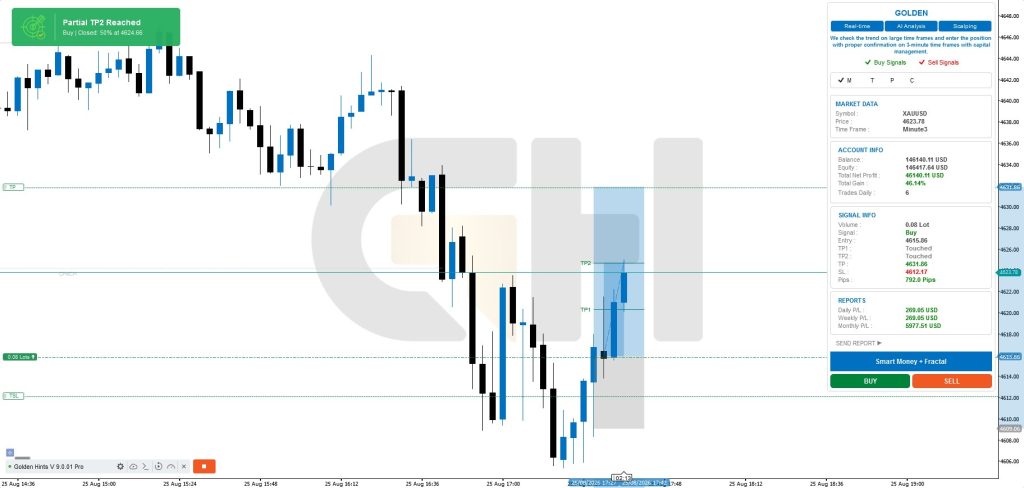
TP2 HIT
BUY XAUUSD
Signal Update

Trade is opened on the Golden Hints strategy account.
The trade information is received and processed by the Golden Hints infrastructure.
GoldenHints Copier receives the supported signal and sends the order to your MetaTrader 5 account.
SL, TP levels, partial closes, Break Even and Trailing Stop can be managed automatically according to the signal configuration.
Receive supported signals and execute them automatically without manual order entry.
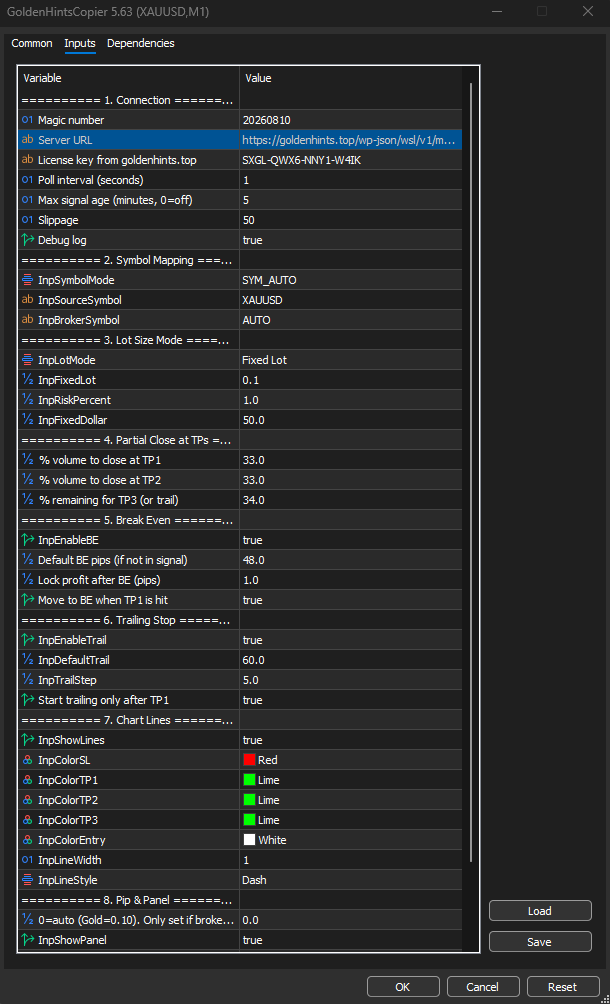
Choose the trading size that fits your account: Fixed Lot Risk Percentage Fixed Dollar Risk
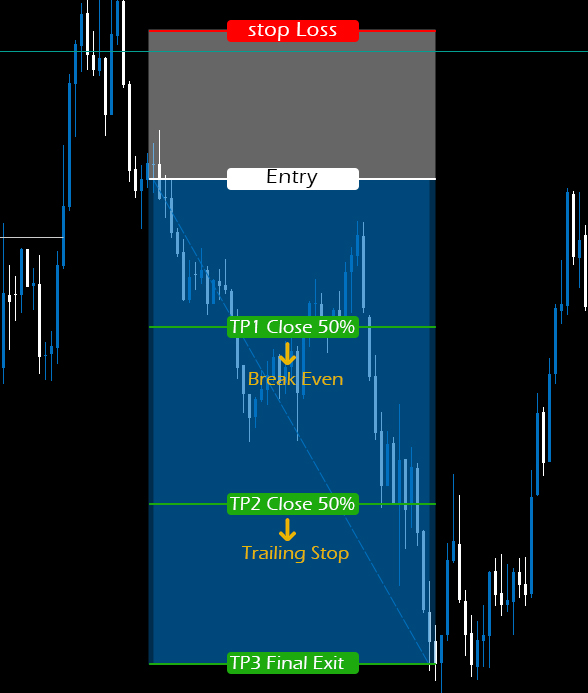
TP1 → Partial Close
TP2 → Partial Close
TP3 → Final Target
Automatically move Stop Loss to Break Even when the configured condition is reached.
Automatically manage the Stop Loss according to the signal's trailing configuration.
It is designed for different MT5 brokers and matches the symbol name to the broker symbol as much as possible.
Choose How You Want to Trade
GoldenHints Copier can manage multiple take-profit levels automatically, allowing traders to secure partial profits while keeping part of the position open for larger market moves.
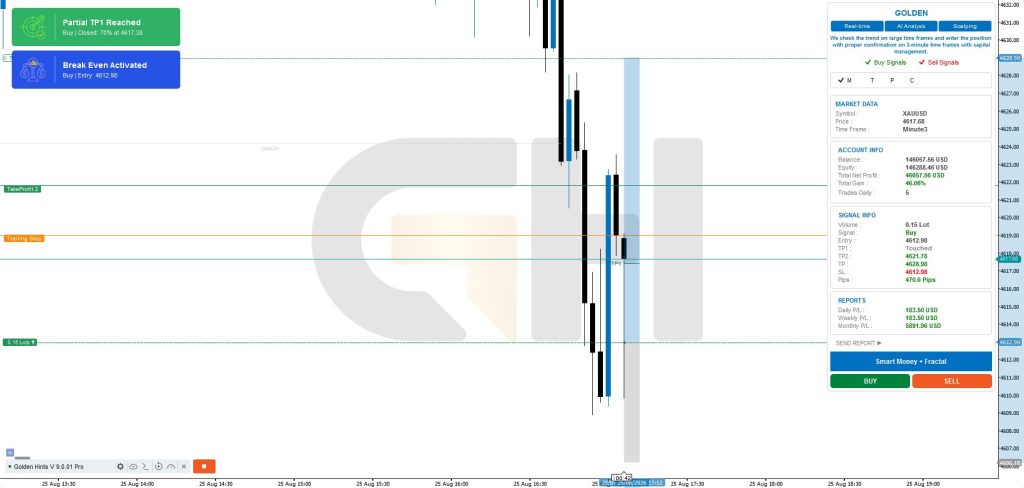
Explore real examples of copy trading signals and see how professional trade setups are presented.Review entries, stop-loss levels, take-profit targets, and overall trade structure in a clear format.

How to Install GoldenHints Copier
1- Download the EA.
2- Open MetaTrader 5.
For PCs, smartphones, and tablets or launch the web platform
Install GoldenHints Copier in the Experts folder.
Attach the EA to your XAUUSD chart.
Enable Algo Trading.
In the MetaTrader 5 terminal, go to Tools → and then Options → Experts
In the Expert Settings section, enable all the ticks
In the Site section, enter the site address and then click OK
Get Subscription from the Site
Connect and start copying.
After successful connection in Expert Panel your status will change from Free to Pro
Just wait for the signal to be sent and enjoy the profit
Common questions about our gold & forex trading signals. Can’t find what you’re looking for? Contact us.
No. Telegram is not required for automatic trade execution.
Yes. GoldenHints Copier is designed for MetaTrader 5.
Yes. You can use Fixed Lot, Risk Percentage or Fixed Dollar Risk.
Yes, the EA is designed for MT5 accounts across different brokers, subject to broker specifications and trading conditions.
Yes. Demo testing is strongly recommended before using a live account.
Yes, when these levels are provided by the supported signal format.
Yes, when the signal includes a Break Even condition and the feature is enabled.
Trading involves risk. Past performance is not indicative of future results.
Risk Disclosure: Automated trading involves significant risk. Past performance does not guarantee future results. Execution may vary between brokers due to spreads, slippage, liquidity, latency and account conditions. Always test the EA on a demo account before using real funds.